
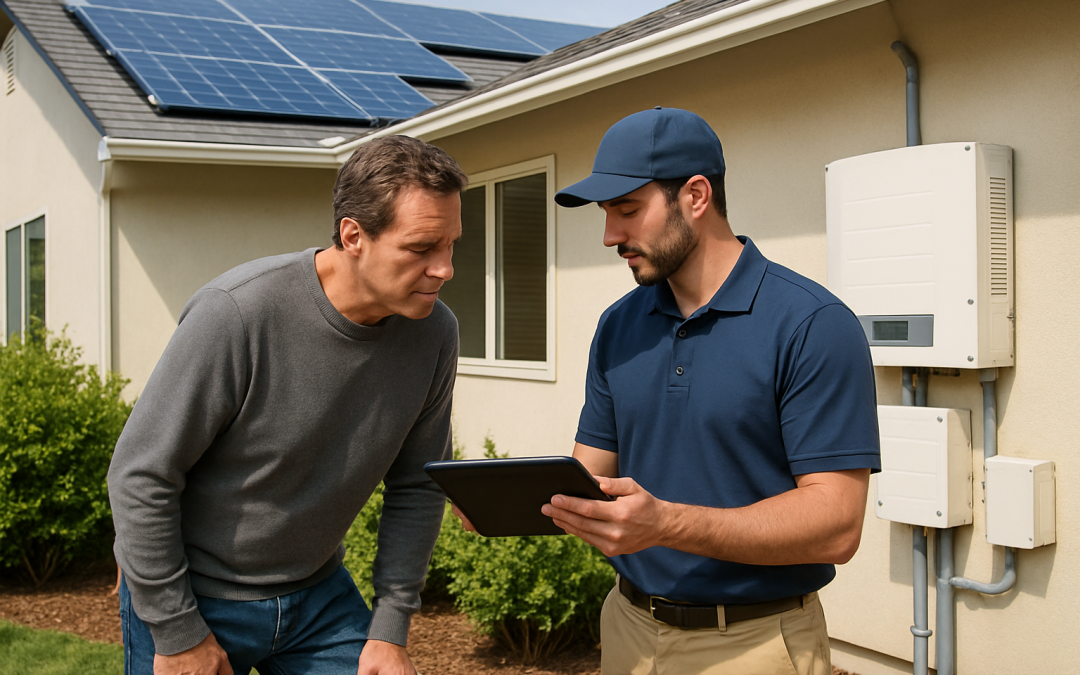
Solar panels not producing enough power? In most homes, low solar output comes down to a few fixable issues: shade, dirt, wiring problems, inverter faults, or simply unrealistic expectations about how much energy your system can make. The fastest way to troubleshoot is to compare your actual production to your installer’s original estimate, then work through a simple checklist: check monitoring, look for error lights, inspect for shade or damage, and reset the system if recommended by your installer. Some fixes are DIY (like cleaning or trimming branches), but electrical or roof work should always be left to a qualified solar professional, and older systems may never reach “day one” output again due to normal panel degradation.
This guide walks you step-by-step through what to check when your solar panels are not producing enough power, what’s normal versus a real problem, and when to call in a pro. It’s written for U.S. homeowners with rooftop or ground-mount solar, whether your system is brand new or 10+ years old. By the end, you’ll know if you’re dealing with a simple maintenance issue, a warranty claim, or a system that was never sized correctly for your home in the first place.
Table of Contents
- Why Your Solar Panels Might Not Be Producing Enough Power
- Quick 5-Minute Checklist: Is Something Obviously Wrong?
- Step-by-Step Troubleshooting Guide (From Easiest to Hardest)
- Key Numbers: What “Normal” Solar Production Looks Like
- When Lower Solar Production Is Actually Normal
- When Low Solar Output Is a Real Problem (And What to Do)
- DIY vs Professional Help: What You Can Safely Do Yourself
- Decision Guide: What to Do Next If Your Solar Panels Aren’t Producing Enough
- Frequently Asked Questions
- Summary: Key Takeaways
- Next Step: Get a Personalized Solar Performance Checkup
Why Your Solar Panels Might Not Be Producing Enough Power
What “not producing enough power” usually means
Homeowners typically notice a problem in one of three ways:
- Your electric bill is higher than you expected after going solar.
- Your monitoring app shows lower kWh (kilowatt-hours) than the installer’s estimate.
- Your system used to produce more and has clearly dropped off.
“Not enough power” can mean:
- The system was undersized from the start (design issue).
- Something is blocking or reducing sunlight (shade, dirt, snow).
- There’s a hardware problem (inverter, wiring, panel failure).
- Weather or season is temporarily lowering output.
Most common causes of low solar production
- Shade that changed over time – trees growing, new buildings, or neighbor’s additions.
- Dirty or soiled panels – dust, pollen, bird droppings, ash, or pollution film.
- Inverter issues – the inverter is off, in fault mode, or failing.
- Tripped breakers or disconnects – part of the system is simply off.
- Panel damage – cracked glass, hot spots, or water intrusion.
- Normal degradation – panels lose about 0.5%–0.8% output per year.
- Weather and seasons – cloudy weeks, heat waves, or short winter days.
- System design – not enough panels to cover your actual usage.
When low output is a red flag vs. just annoying
It’s a red flag if:
- Production suddenly drops 20%+ from one month to the next in similar weather.
- Your monitoring app shows one or more panels at zero or near-zero output.
- The inverter shows an error code or red/orange light.
- Your system is under 10 years old and producing far below the original estimate.
It may be normal (though still frustrating) if:
- It’s winter, very cloudy, or extremely hot.
- Your home’s energy use has increased since installation (EV, hot tub, more AC).
- Your system was sized to offset only part of your bill, not 100%.
Quick 5-Minute Checklist: Is Something Obviously Wrong?
Step 1: Check your monitoring app or portal
Open your solar monitoring app (from your installer, inverter brand, or utility). Look for:
- Current power (kW) – is it zero in the middle of a sunny day?
- Daily production (kWh) – is it much lower than recent similar days?
- Panel-level view (if available) – are some panels at zero?
- Error messages – any alerts or warnings from the system?
If you don’t have monitoring set up, it’s worth doing; see how to monitor your solar system’s performance for simple options.
Step 2: Look at your inverter and breakers (from the ground)
- Find your inverter (often in the garage, basement, or outside near the meter).
- Check the indicator light:
- Solid green/blue usually means normal operation.
- Red/orange/blinking usually means a fault or error.
- Look at your main electrical panel:
- Is the solar breaker in the “ON” position?
- Do you see any tripped breakers (in the middle position)?
Safety note: Do not open any sealed electrical boxes or touch wiring. If you’re unsure, stop and call a professional.
Step 3: Visual roof check from the ground
From a safe spot on the ground (no ladders):
- Do you see new shade from trees, chimneys, or nearby buildings?
- Do panels look visibly dirty (bird droppings, heavy dust, leaves, or debris)?
- Any obvious damage like broken glass, missing panels, or loose wiring?
If you spot clear physical damage, stop troubleshooting and read how to spot solar panel damage before it costs you, then contact your installer or a repair service.
Step-by-Step Troubleshooting Guide (From Easiest to Hardest)
Step 1: Compare actual vs. expected production
When your solar panels are not producing enough power, the first question is: “Compared to what?”
- Find your original proposal or contract – it should show expected annual kWh.
- Check your monitoring portal for year-to-date or last 12 months production.
- Compare:
- If you’re within about 10%–15% of the estimate, that’s often considered normal.
- If you’re 20%+ below the estimate, it’s worth deeper investigation.
Also compare your electric bills from before and after solar. If your usage has gone up significantly, your system may not be “underperforming” – your demand may have increased.
Step 2: Rule out weather and seasons
Solar production can swing widely month to month:
- Winter months can produce 30%–60% less than peak summer months in many U.S. states.
- Cloudy weeks, smoke from wildfires, or storms can temporarily cut production by 50%+.
- Very hot days (90°F+) can reduce panel efficiency by 10%–25% compared to cooler days.
Compare this year’s weather to last year’s. If the drop lines up with an unusually cloudy or smoky period, your system may be fine.
Step 3: Check for shade changes
Shade is one of the most common reasons solar panels stop producing as much power over time.
- Walk around your property mid-morning, noon, and mid-afternoon.
- Look for:
- Trees that have grown taller or fuller since installation.
- New structures: sheds, additions, neighboring homes, or tall fences.
- Temporary shade from things like parked RVs or construction equipment.
Even partial shade on a few panels can drag down the output of an entire string of panels, depending on your system design.
Step 4: Check for dirt, debris, and snow
Dirty panels can lose 5%–25% of their output, depending on how bad it is.
- Look for:
- Bird droppings or sap stuck on the glass.
- Heavy dust, pollen, or ash (common near farms, highways, or wildfires).
- Leaves, pine needles, or branches.
- Snow or ice in winter.
If panels are clearly dirty and safely reachable, you may be able to clean them yourself using gentle methods; see how to clean solar panels for step-by-step guidance. For steep roofs or hard-to-reach arrays, a professional solar panel cleaning service is safer and often more effective.
Step 5: Look for visible damage (from the ground)
Without climbing on the roof, use binoculars or zoom on your phone camera to check for:
- Cracked or shattered glass on any panel.
- Panels that look warped, discolored, or burned in spots.
- Loose or hanging wires or conduit.
- Panels that appear misaligned or lifted (possible wind damage).
Physical damage can seriously reduce output and may be covered by your equipment or homeowner’s insurance. For next steps, see what to do if a solar panel breaks or stops working.
Step 6: Check inverter status and error codes
If your inverter shows a fault light or error code:
- Write down the exact error code and message.
- Check the manufacturer’s manual or website for what it means.
- Many inverters allow a simple reboot (turning off and on in a specific order), but:
- Only do this if your installer or the manual explicitly says it’s safe.
- Follow the shutdown/startup sequence exactly.
If rebooting doesn’t clear the error, contact your installer or a qualified solar repair company. Inverter replacements are a common mid-life repair for solar systems.
Step 7: Use panel-level monitoring (if available)
If your system has optimizers or microinverters, you may have panel-level monitoring:
- Log in to your monitoring portal and view the layout of panels.
- Look for:
- One or more panels at zero or much lower output than neighbors.
- Entire groups of panels offline (could indicate a string or circuit issue).
This information is extremely helpful for your installer or repair tech to diagnose the problem quickly.
Step 8: Consider system age and normal degradation
All solar panels slowly lose output over time. Typical performance warranties guarantee:
- About 90% of original output at year 10.
- About 80%–85% of original output at year 25.
If your 15-year-old system is producing 15%–20% less than when it was new, that may be within normal expectations. A sudden drop, however, is not normal and should be investigated.
Step 9: Re-evaluate system sizing vs. your current usage
Sometimes the system is working fine, but your life has changed:
- You added an electric vehicle and charge at home.
- You installed a hot tub, pool pump, or electric heater.
- More people now live in the home, using more AC, laundry, and electronics.
In these cases, your solar panels may not be producing “enough” power for your new usage, even though they’re performing as designed. You may need to add panels, improve efficiency, or adjust expectations.
Key Numbers: What “Normal” Solar Production Looks Like
Typical system size and output for a U.S. home
For context, here are national averages for residential solar as of 2026:
- Average system size: 6 kW–10 kW (about 15–25 panels).
- Average cost: $28,000–$32,000 before incentives, or about $2.50–$3.50 per watt.
- After 30% federal tax credit: roughly $19,600–$22,400 (consult a tax professional for your situation).
- Average annual production: roughly 8,000–14,000 kWh per year, depending on system size and location.
- Average annual savings: $1,300–$1,500 on electricity bills.
- Typical payback period: 7–9 years nationally.
- Panel lifespan: 25–30 years performance warranty, 30–35 years typical life.
Individual results vary widely based on roof direction, shade, local rates, and weather. A 7 kW system in Arizona will produce much more than the same system in New England.
How much daily power should your system produce?
A rough rule of thumb many installers use:
- Each installed kW of solar can produce about 3–5 kWh per day on average over a year, depending on location.
- So a 7 kW system might average:
- 21–35 kWh per day over the year.
- More in summer, less in winter.
If your long-term average is far below this range, and your roof has good sun, your solar panels may not be producing enough power due to a design or equipment issue.
What affects these numbers the most?
- Location: Southwest states can see 30%–60% more output than northern states for the same system size.
- Roof orientation and tilt: South-facing roofs generally perform best; east/west can be 10%–20% lower.
- Shade: Even 10%–20% shade can significantly reduce annual output.
- System design: Quality of components, stringing, and inverter selection.
- Maintenance: Dirty or damaged panels can lose 5%–25% of potential production.
- Degradation: Expect about 0.5%–0.8% loss per year.
When Lower Solar Production Is Actually Normal
Seasonal and daily variation
Your solar output will never be the same every day. It’s normal to see:
- Winter production 30%–60% lower than summer.
- Cloudy days with 50%–80% less output than clear days.
- Short-term dips during storms, smoke, or heavy haze.
In winter, snow can temporarily block panels. In many cases, it’s better to let snow slide off naturally rather than risk roof falls or panel damage trying to clear it.
High heat and panel efficiency
Solar panels are tested at 77°F (25°C), but many roofs get much hotter:
- On a 95°F day, panel temperature can exceed 140°F.
- Most panels lose about 0.3%–0.5% efficiency per °C above 25°C.
- This can mean 10%–25% less output on very hot days compared to cooler, sunny days.
So if your solar panels are not producing as much power during a heat wave, that’s often normal physics, not a system failure.
Normal degradation over time
Panel manufacturers typically warrant:
- No more than about 2%–3% loss in the first year.
- Then about 0.5%–0.7% per year after that.
Over 20 years, that can add up to a 10%–15% drop in maximum output. As long as your system’s performance matches the warranty curve, this is expected and usually not grounds for a claim.
System sized for partial offset
Some systems are intentionally designed to cover only part of your usage:
- Roof space limitations.
- Budget constraints.
- Utility rules or interconnection limits.
If your installer told you to expect, say, 60%–80% bill offset, your solar panels may be producing exactly what they should, even if you still have a noticeable electric bill.
When Low Solar Output Is a Real Problem (And What to Do)
Signs of a true performance issue
Take action if you see any of these:
- Production is 20%+ below the installer’s estimate over a full year.
- Sudden drop in output from one month to the next in similar weather.
- One or more panels consistently show zero or near-zero output.
- Inverter shows persistent error codes or shuts down frequently.
- Your system is under 10 years old and producing far below warranty expectations.
Potential hardware problems
- Inverter failure: One of the most common issues; can cut production partially or completely.
- Optimizer or microinverter failure: Affects individual panels or small groups.
- Loose or corroded wiring: Can cause intermittent or reduced output.
- Panel defects: Hot spots, delamination, or internal cell damage.
- Roof or mounting issues: Panels shifting or lifting can stress wiring and reduce performance.
These issues usually require a professional to diagnose and repair safely.
Warranty and repair options
Most systems have multiple overlapping warranties:
- Panel warranty: Typically 10–25 years for product, 25+ years for performance.
- Inverter warranty: Often 10–12 years standard, sometimes extendable.
- Workmanship warranty: From your installer, often 5–10 years.
If you suspect a covered issue, review your paperwork and see our guide to solar panel warranty claims for how to document and file a claim effectively.
When the original design is the problem
Sometimes the system was never capable of meeting your expectations because:
- It was undersized for your actual or future usage.
- Shade was underestimated or not modeled correctly.
- Panels were placed on suboptimal roof faces to “fill space” rather than maximize output.
In these cases, your options may include adding more panels (if allowed), improving efficiency in your home, or adjusting how and when you use electricity.
DIY vs Professional Help: What You Can Safely Do Yourself
Reasonable DIY checks and maintenance
Most homeowners can safely:
- Monitor system performance through an app or web portal.
- Visually inspect panels from the ground for shade, dirt, or obvious damage.
- Trim small trees or shrubs (if safe and within your property).
- Clean easily accessible panels using safe methods and tools.
Always avoid walking on panels, stepping on steep or wet roofs, or using harsh chemicals or abrasive tools on the glass.
Tasks best left to professionals
Hire a qualified installer or solar repair service for:
- Diagnosing inverter, wiring, or panel-level faults.
- Working inside electrical panels or junction boxes.
- Roof work on steep, high, or fragile roofs.
- Reconfiguring strings, replacing inverters, or adding panels.
Improper electrical work can be dangerous and may void warranties or violate local codes. A reputable solar repair company can quickly pinpoint why your solar panels are not producing enough power and recommend the safest fix; see our solar panel repair guide for typical costs and how to choose a provider.
Decision Guide: What to Do Next If Your Solar Panels Aren’t Producing Enough
1. Decide if this is urgent or can wait
It’s likely urgent if:
- Your system is completely off or near zero output on sunny days.
- You see error codes, burning smells, or visible damage.
- Your electric bill has spiked unexpectedly.
It may be less urgent (but still worth addressing) if:
- You see a gradual decline over years that matches panel age.
- The issue lines up with seasonal changes or unusual weather.
2. Gather information before contacting an installer
Having these details ready will save time:
- System size (kW) and installation year.
- Original production estimate (annual kWh) from your proposal.
- Recent production data (last 3–12 months) from your monitoring app.
- Photos of any visible damage, shade, or inverter error screens.
- Copies of your warranties and installer contact info.
3. Questions to ask a solar installer or repair company
- “Based on my data, do you see a performance issue or normal variation?”
- “Is this likely a panel, inverter, wiring, or design problem?”
- “Is the issue covered under any of my warranties?”
- “What diagnostics will you perform, and what does it cost if it’s not a warranty issue?”
- “If my system is undersized, what are my options to add capacity or improve performance?”
4. When getting multiple quotes makes sense
Consider getting more than one opinion if:
- Your original installer is out of business or unresponsive.
- You’re told you need expensive repairs or a full inverter replacement.
- You’re considering adding panels, a battery, or reconfiguring the system.
Different companies may propose different solutions, and comparing options can save you money and improve long-term performance.
Frequently Asked Questions
Why are my solar panels not producing enough power on cloudy days?
Solar panels can still work on cloudy days, but output often drops by 50%–80% compared to clear, sunny conditions. If your system’s production rebounds on sunny days and matches expectations over a full month or year, this is usually normal and not a sign of a problem.
How much does dirt really affect solar panel output?
Light dust might only reduce output by a few percent, but heavy soiling from bird droppings, pollen, or pollution can cut production by 5%–25%. If your panels look visibly dirty and your solar panels are not producing as much power as they used to, a proper cleaning can often restore a noticeable amount of performance.
Is it normal for my solar panels to produce less power in winter?
Yes. Shorter days, lower sun angles, more clouds, and snow can all reduce winter output by 30%–60% compared to summer in many parts of the U.S. As long as your annual production is close to your installer’s estimate, lower winter output is usually normal.
Can I reset my solar inverter myself if production is low?
Some inverters can be safely rebooted by following the shutdown and startup sequence in the manufacturer’s manual. However, if you see error codes, flashing red lights, or are unsure about the procedure, it’s safer to contact your installer or a licensed electrician rather than experimenting on your own.
When should I call a professional about low solar output?
Call a professional if your system is completely off on sunny days, production has dropped suddenly by 20% or more, you see inverter error codes, or you notice physical damage or burning smells. These signs suggest a real fault that needs expert diagnosis rather than normal weather or seasonal variation.
Can adding more panels fix low solar production?
Adding panels can help if your system was undersized for your current usage, but it won’t fix problems like faulty inverters, shading, or damaged panels. Before expanding your system, have a professional confirm that your existing equipment is working properly and that your roof and electrical service can support additional capacity.
Summary: Key Takeaways
- If your solar panels are not producing enough power, start by comparing actual production to your installer’s estimate and checking for simple issues like shade, dirt, and inverter errors.
- A typical U.S. home system costs $28,000–$32,000 before incentives, produces 8,000–14,000 kWh per year, and pays back in about 7–9 years when performing as designed.
- Weather, seasons, panel age, and increased household usage can all reduce how much of your bill solar covers without indicating a system failure.
- Sudden drops in output, persistent inverter errors, or panel-level failures are red flags that warrant professional diagnosis and possibly a warranty claim.
- Your best next step is to gather your system data, rule out obvious issues, and then consult a qualified installer or repair service if performance still looks abnormally low.
Next Step: Get a Personalized Solar Performance Checkup
Every home and solar system is different, and small details can make a big difference in how much power you actually produce. If your solar panels aren’t producing enough power and you’re not sure why, getting personalized quotes and diagnostics from qualified local installers is the fastest way to protect your investment.
Share your address, recent electric bills, and basic system details to see what’s really going on and what it should cost to fix or optimize your setup. When you’re ready, you can start that process at /get-my-quote/ and compare options with no pressure.